

Groveros
One-tap personal capture system: press the iPhone Action Button, speak, and the thought lands classified in a Today dashboard.
3 sources: GitHub (groverpaul/groveros), Claude Code, live link
What they built
A personal capture-and-act system. Jake presses the iPhone Action Button, speaks, and the thought is transcribed, classified and filed into a Today dashboard. Grover, the assistant seat, then scans Gmail, Calendar, Granola and Slack, prepares drafts and meeting briefs, and queues anything outbound as an approval card that only Jake can approve.
-
Capture in one tap
Action Button → Apple Shortcut → Worker /ingest → ElevenLabs Scribe v2 → Claude Haiku 4.5 structured classification → D1. A failed ingest still inserts a row; no capture is ever dropped.
-
Every channel feeds the same table
Twilio SMS from Sarah, photo capture into R2, hourly Gmail scans with bill detection, Slack scans, and Granola call transcripts that file promises and owed items.
See it -
Today dashboard at jakepaul.io/groveros
Today, master list, project boards, Now mode, the Garden for stalled work, you-owe and owed-to-you ledgers, a morning brief with web push, and a daily summary page.
See it -
Grover on every item
Per-item assistant on Claude Fable 5.1 in a single chat rail, plus Ask over the whole corpus of items, email and Slack.
-
Prepare, then Jake approves
Email sends, RSVPs, calendar events with Google Meet links and Slack posts as Jake are approval cards. One file, actions.ts, is the only code that calls Gmail send or Calendar write.
-
Meeting prep every five minutes
Thirty minutes before a work meeting Grover DMs a brief to Jake and the VibeWorks teammates on the invite, with Granola history of past calls with those people.
-
Reply drafts at scan time
Free/busy windows, preferences and sender timezone feed gated auto-drafts for known senders; draft-to-sent corrections are captured for a later tuning pass.
-
Agents and shipping discipline
A groveros-mcp Worker exposes twelve tools to Claude as a connector. GitHub Actions apply migrations before deploys; 102 worker tests plus MCP and Prop Ledger suites.
Core features
3 of 9 features on screen. Each one is a thing Groveros does.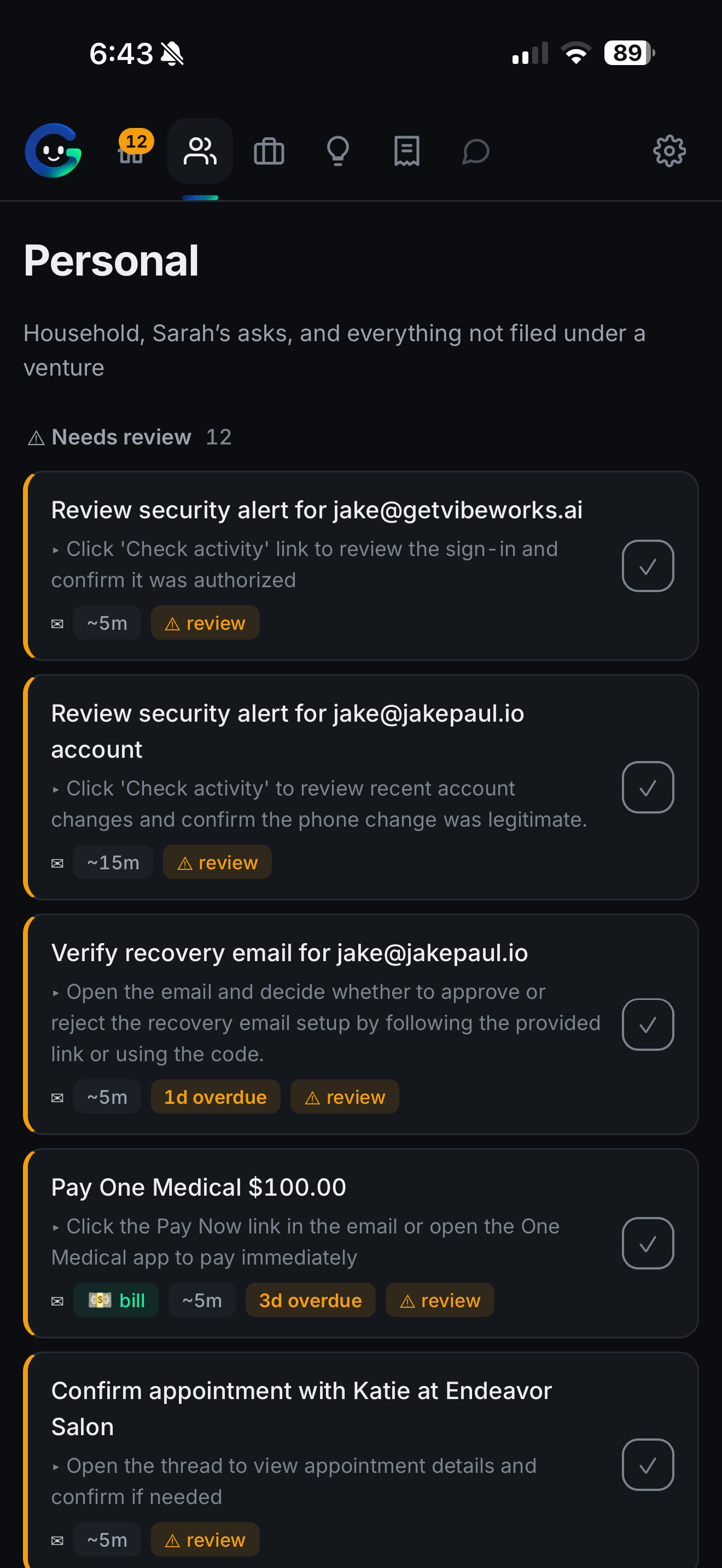
Every channel feeds the same table
Twilio SMS from Sarah, photo capture into R2, hourly Gmail scans with bill detection, Slack scans, and Granola call transcripts that file promises and owed items.
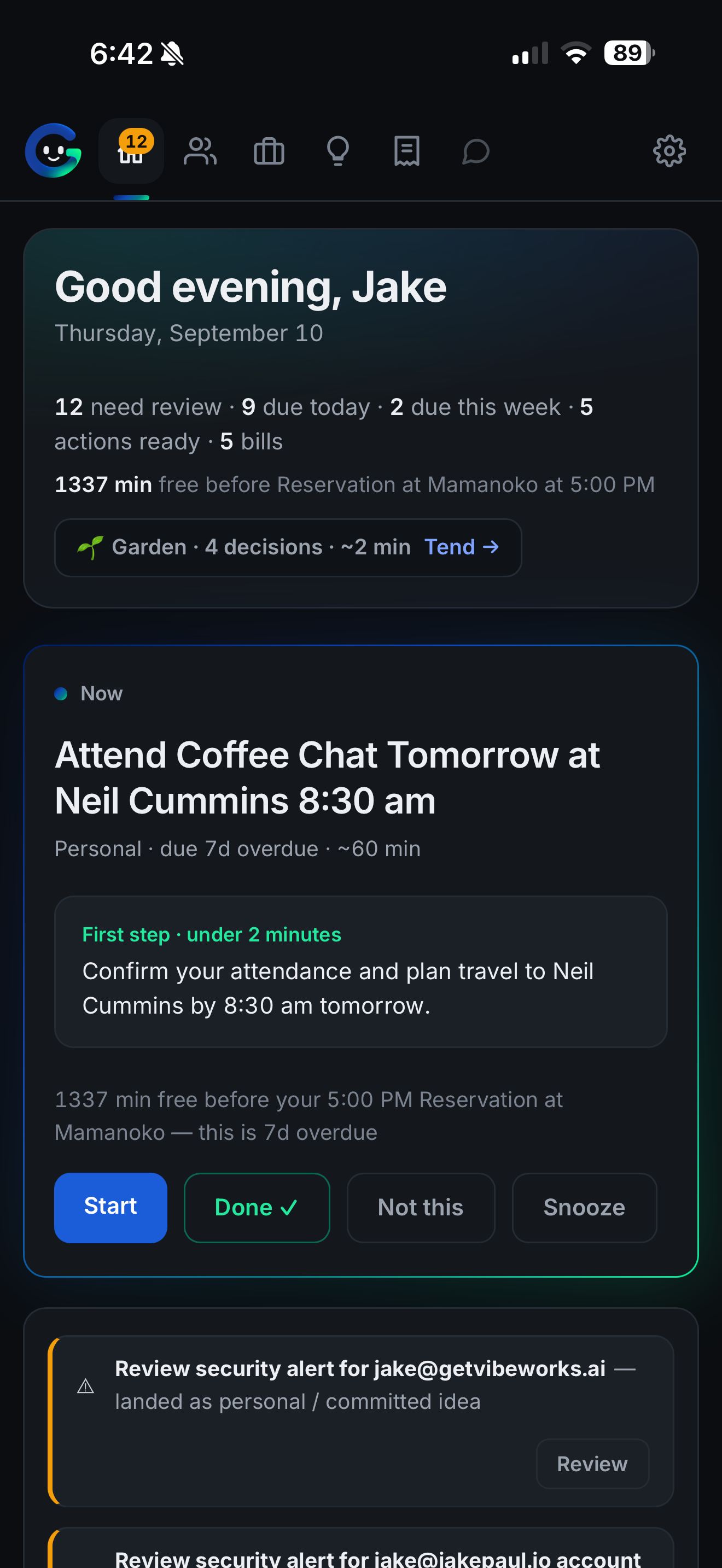
Today dashboard at jakepaul.io/groveros
Today, master list, project boards, Now mode, the Garden for stalled work, you-owe and owed-to-you ledgers, a morning brief with web push, and a daily summary page.
How it was built
Built on Claude Code: 7 weeks from late August to mid October 2026, with 145 commits along the way. One person built it.
29 August to 16 October 2026. 145 commits across 7 active weeks. The busiest was the week of 11 October, with 42. 144 files of TypeScript, HTML and JavaScript.
Read from GitHub and Claude Code's own session files.

- 7 weeks
- active weeks
- 5 days ago
- last push
In their own words
Answered by the builder, by voice or by hand.I built this because I needed a place to separate my personal and home-front to-dos, emails I was behind on, and requests from my partner from my work tasks across my startup and day job. I also needed to pull in tasks from everywhere I made commitments, whether in Slack, email, or just a running…
I built this because I needed a place to separate my personal and home-front to-dos, emails I was behind on, and requests from my partner from my work tasks across my startup and day job. I also needed to pull in tasks from everywhere I made commitments, whether in Slack, email, or just a running to-do list. I wanted a quick way to capture random thoughts during the day, leave a note, and have it automatically filed and categorized appropriately. It is basically a personal organization app on steroids.
The next thing I’m building is the ability to have it make phone calls on my behalf using 11 Labs and a Twilio phone number, so I can make a restaurant reservation, call customer support, and handle tasks I would otherwise sit on the phone waiting for. That’s the one I’m most excited about. It’s kind of the dream state of a personal assistant app, and I’m excited to build it.
I started this with a simple goal: a one-click voice prompt for a to-do list. It turned into a much bigger personal and professional self-organization assistant. Next time, I would put together a much more detailed plan before going in so the work was more structured and organized. I definitely spun in some circles here and there, but it was still a lot of fun.
My favorite moment of the build was when I told my partner Sarah to text this phone number with a request for me, and it just showed up in my to-do list under personal with a deadline and organized with all my other stuff. It was very cool to see that what I built worked that quickly and that smoothly, and that it’s something we’ve incorporated into our day-to-day life.